 Hxtory
How Hxtory works
From a pile of papers to a history any doctor can read
Six steps, shown on the app's own screens. The patient on them, Olena, is made up.
Step 1
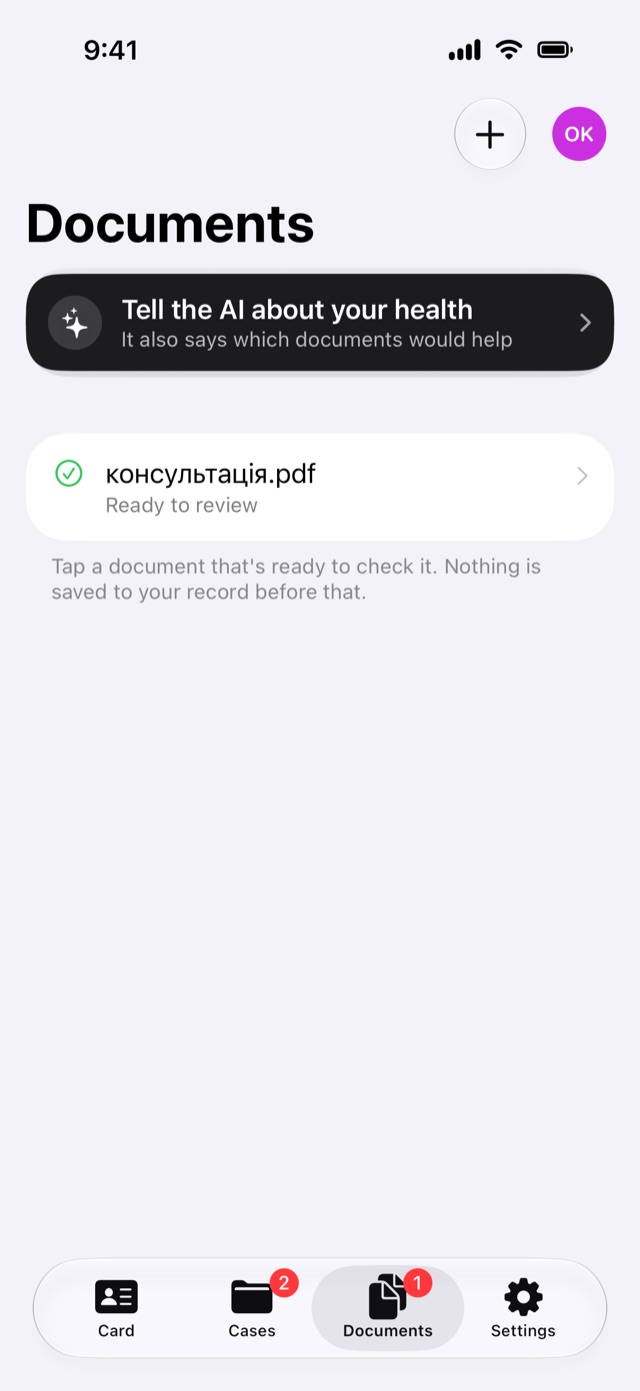
Add what you already have
Scan a paper document, or add PDFs and photos, in whatever language they're in. Each original is kept with your record.
To read a document, Hxtory sends that one document to Google's document AI in the EU, and only after you agree.
Step 2
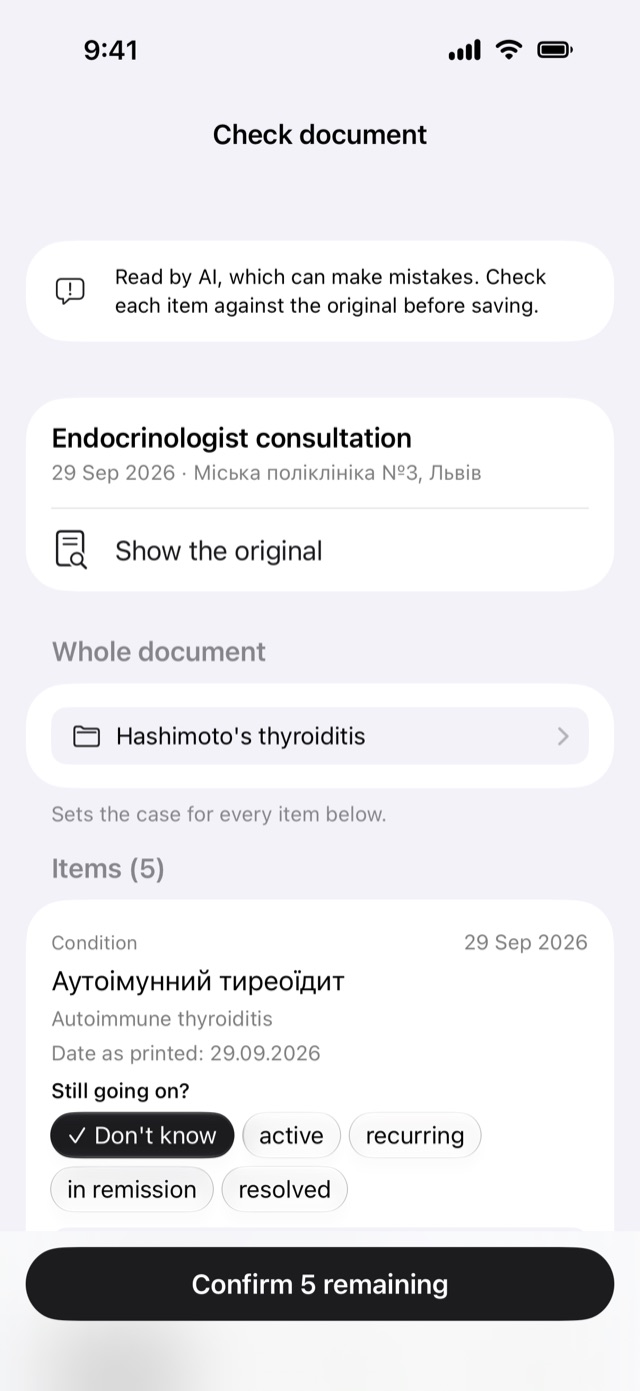
Check what was read
The AI lists what it found: conditions, medicines, results and visits, each with the wording as printed and a translation. You check every item against the original, and nothing is saved until you confirm it.
Step 3
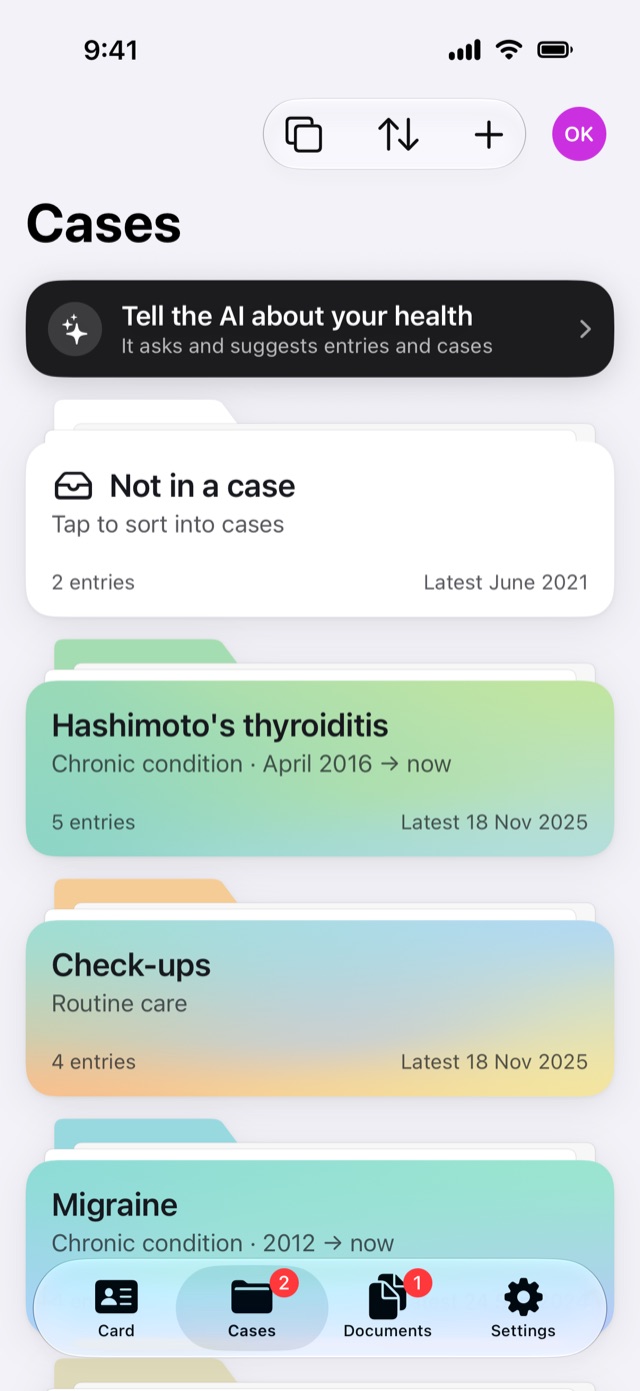
File it into cases
Entries go into cases: a long-running condition, an illness you had, routine check-ups. One entry can belong to several cases, and what you haven't filed yet waits in Not in a case.
Step 4
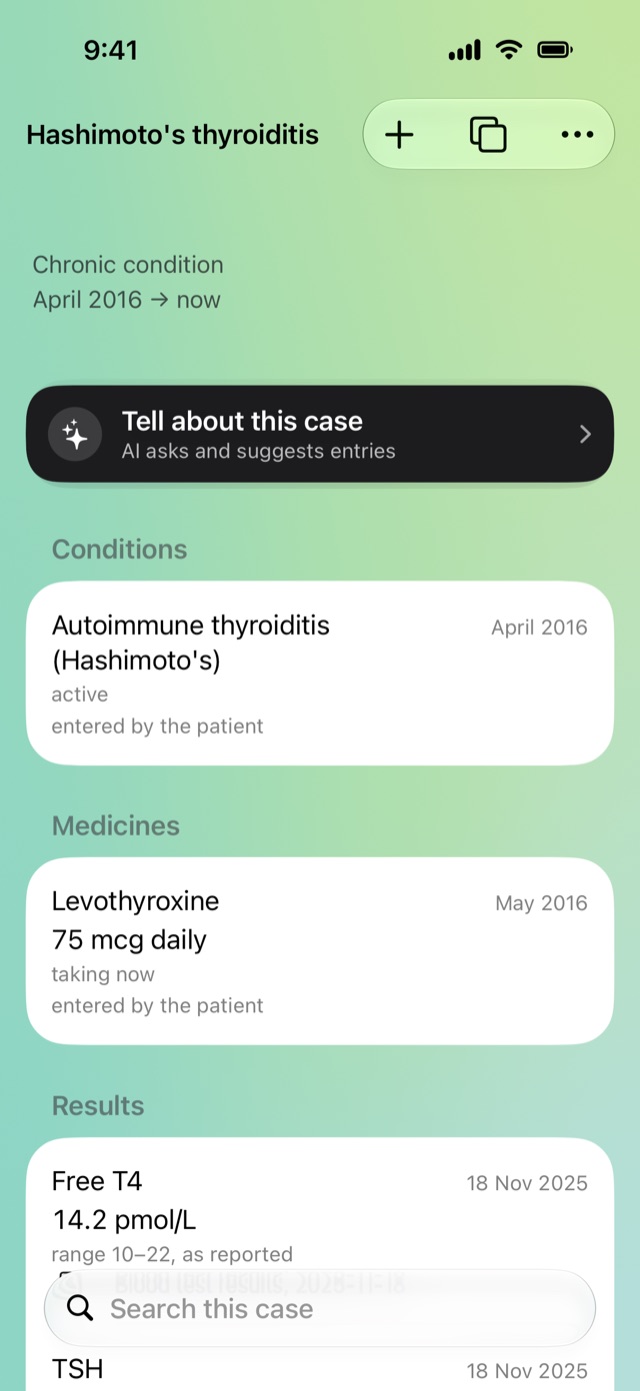
See one story in one place
A case page brings together its conditions, medicines, results and visits, with dates and where each came from. Tell the AI about the case and it suggests entries for you to confirm.
Step 5
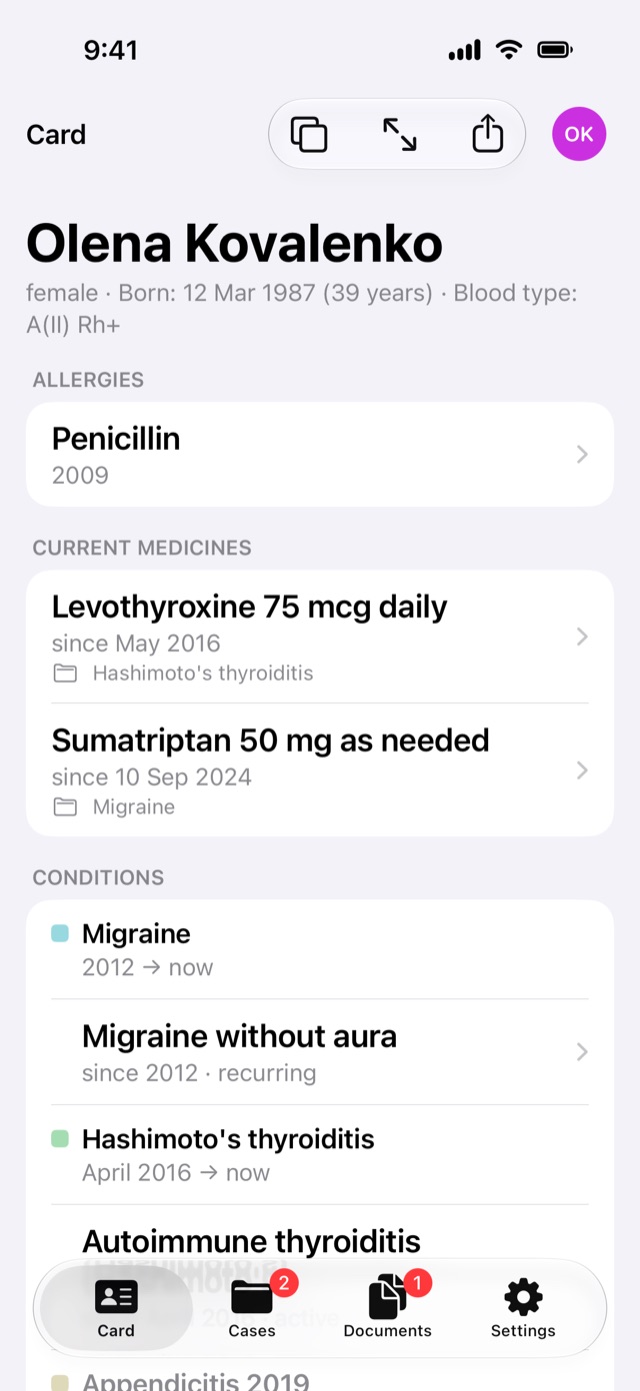
Show the card to a new doctor
The card puts allergies, current medicines and conditions at the top, and stays up to date as you add entries. Open it full screen and hand your iPhone to the doctor.
Step 6
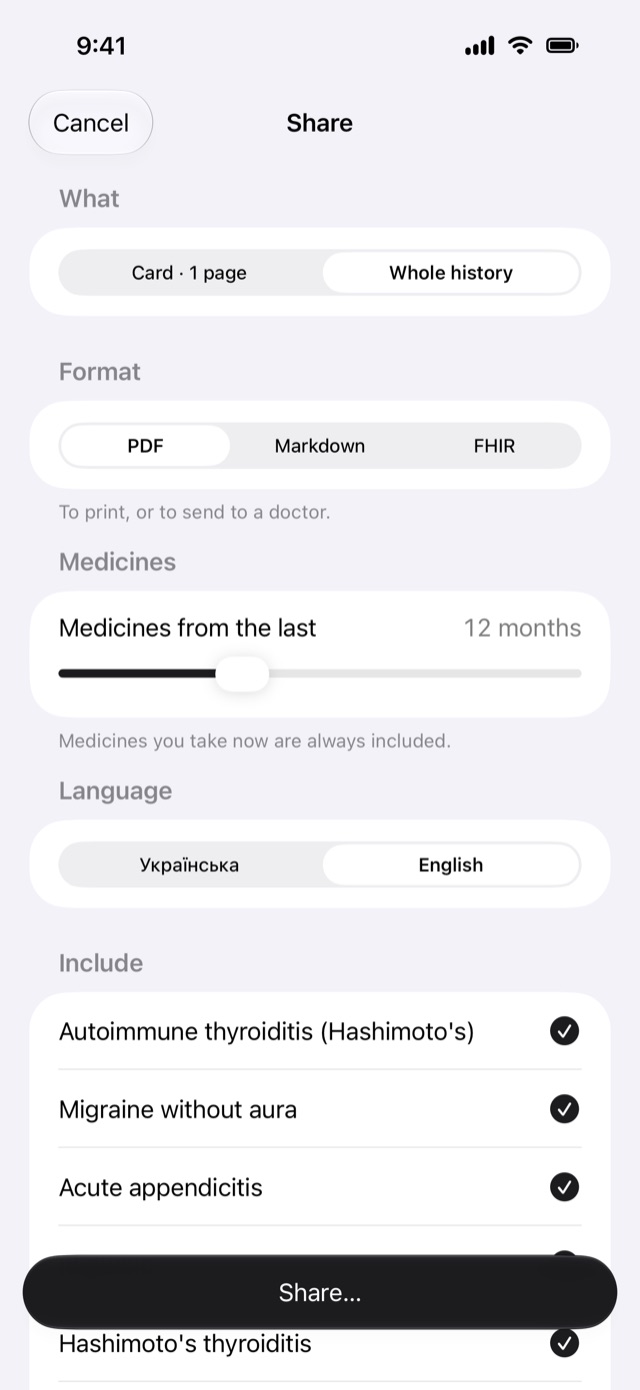
Share the whole history as a PDF
For a specialist, share the whole history as a PDF, in English or Ukrainian. Choose how far back the medicines go, and leave out what this doctor doesn't need. Markdown and FHIR are there too.
Also in Hxtory
Talk instead of typing
Tell the AI about your health. It asks follow-up questions and suggests entries and cases for you to confirm.
Exports
The whole history as a PDF for a specialist, FHIR for medical systems, or Markdown for your own AI assistant.
Your own AI
Prefer to use your own AI? Let it read your documents and import the result into Hxtory. Nothing is sent to us.
How to do itBackups
A backup file protected by a password you choose. Keep it in Files, on a computer or a drive, and restore it on a new iPhone.
Close ones
With the full version, keep the histories of relatives, children or pets too, each with their own cases, documents and card.
Local-only mode
Turn off every AI feature. Entries by hand, cases, the card, exports and backups keep working.